sábado, 25 de julho de 2015

Development Release: FreeBSD 10.2-RC1

http://www.freebsd.org/
OS Type: BSD
Basado em: Independent
Origem: USA
Architecture: arm, armel, i386, ia64, mips, mipsel, sparc64, pc98, powerpc, powerpc64, ps3, x86_64, xbox
Ambiente Gráfico: AfterStep, Awesome, Blackbox, Enlightenment, Fluxbox, GNOME, IceWM, KDE, LXDE, Openbox, WMaker, Xfce
Categoria: Desktop, Firewall, Raspberry Pi, Server
FreeBSD is a UNIX-like operating system for the i386, amd64, IA-64, arm, MIPS, powerpc, ppc64, PC-98 and UltraSPARC platforms based on U.C. Berkeley's "4.4BSD-Lite" release, with some "4.4BSD-Lite2" enhancements. It is also based indirectly on William Jolitz's port of U.C. Berkeley's "Net/2" to the i386, known as "386BSD", though very little of the 386BSD code remains. FreeBSD is used by companies, Internet Service Providers, researchers, computer professionals, students and home users all over the world in their work, education and recreation. FreeBSD comes with over 20,000 packages (pre-compiled software that is bundled for easy installation), covering a wide range of areas: from server software, databases and web servers, to desktop software, games, web browsers and business software - all free and easy to install.
Compass  icons


terminal 

comand ------------


sudo add-apt-repository ppa:nitrux-team/nitrux-artwork
sudo apt-get update
sudo apt-get install compass-icon-theme | (GTK)
sudo apt-get install compass-icon-theme-kde | (KDE)


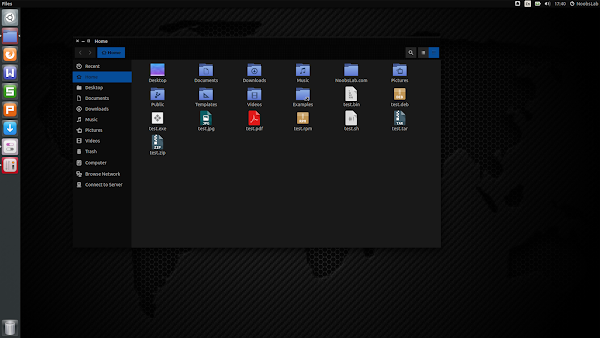
Do You Like Dark Themes? If 'Yes' Then Use Sable Themes Suite For Ubuntu/Linux Mint

sable

To install Sable themes in Ubuntu 15.04 Vivid/14.10 Utopic/14.04 Trusty/Linux Mint 17.x/17 open Terminal (Press Ctrl+Alt+T) and copy the following commands in the Terminal:
Terminal Commands:
sudo add-apt-repository ppa:noobslab/themes
sudo apt-get update
sudo apt-get install sable-gtk

NEW • Distribution Release: ROSA R6 "Desktop Fresh"
http://www.rosalab.com/


OS Type: Linux
Basado em: Independent (originally forked from Mandriva)
Origem: Russia
Architecture: i586, x86_64
Ambiente Gráfico: GNOME, KDE, LXDE
Categoria: Desktop, Live Medium
ROSA is a Russian company developing a variety of Linux-based solutions. Its flagship product, ROSA Desktop, is a Linux distribution featuring a highly customised KDE desktop and a number of modifications designed to enhance the user-friendliness of the working environment. The company also develops an "Enterprise Server" edition of ROSA which is based on Red Hat Enterprise Linux.

sexta-feira, 24 de julho de 2015

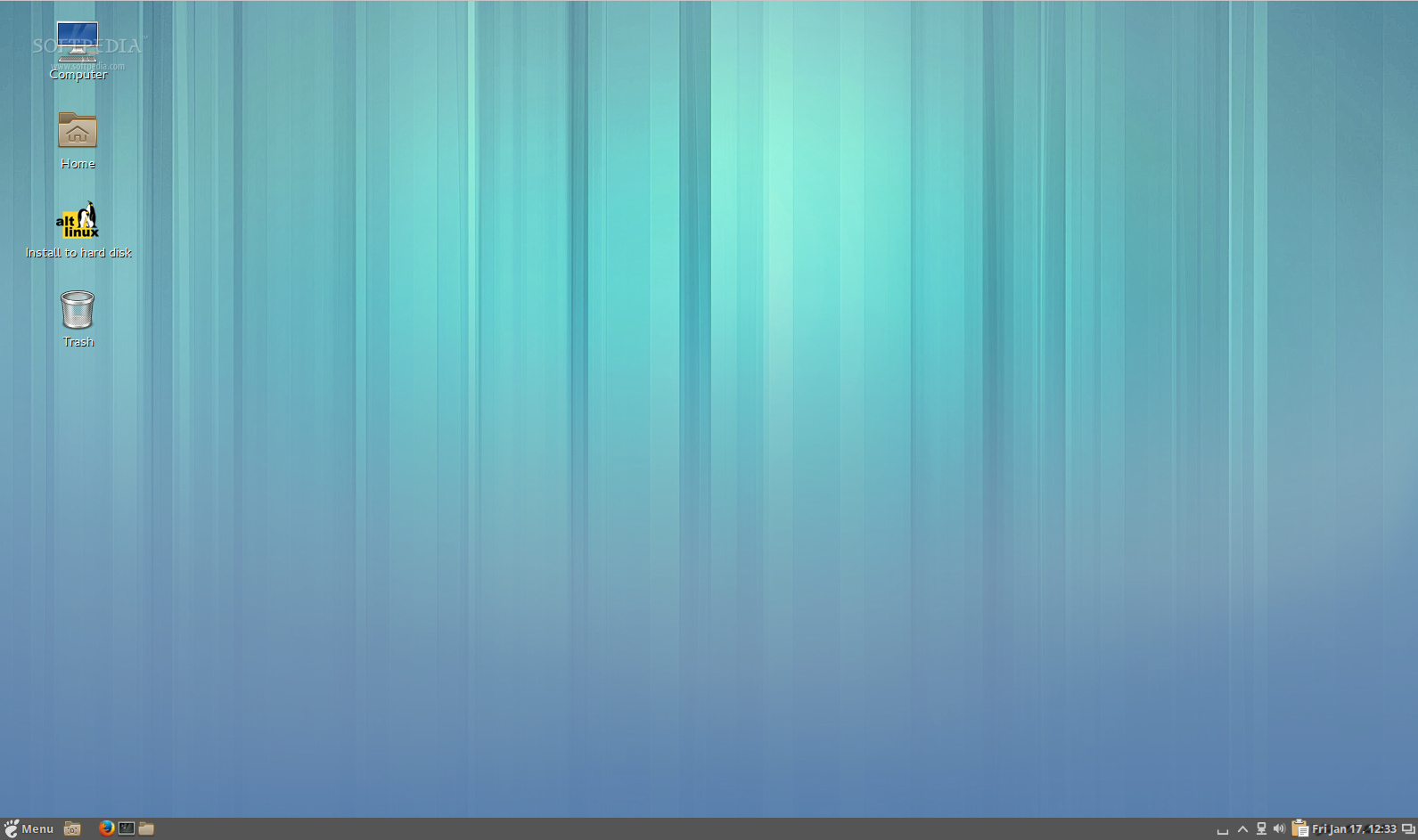
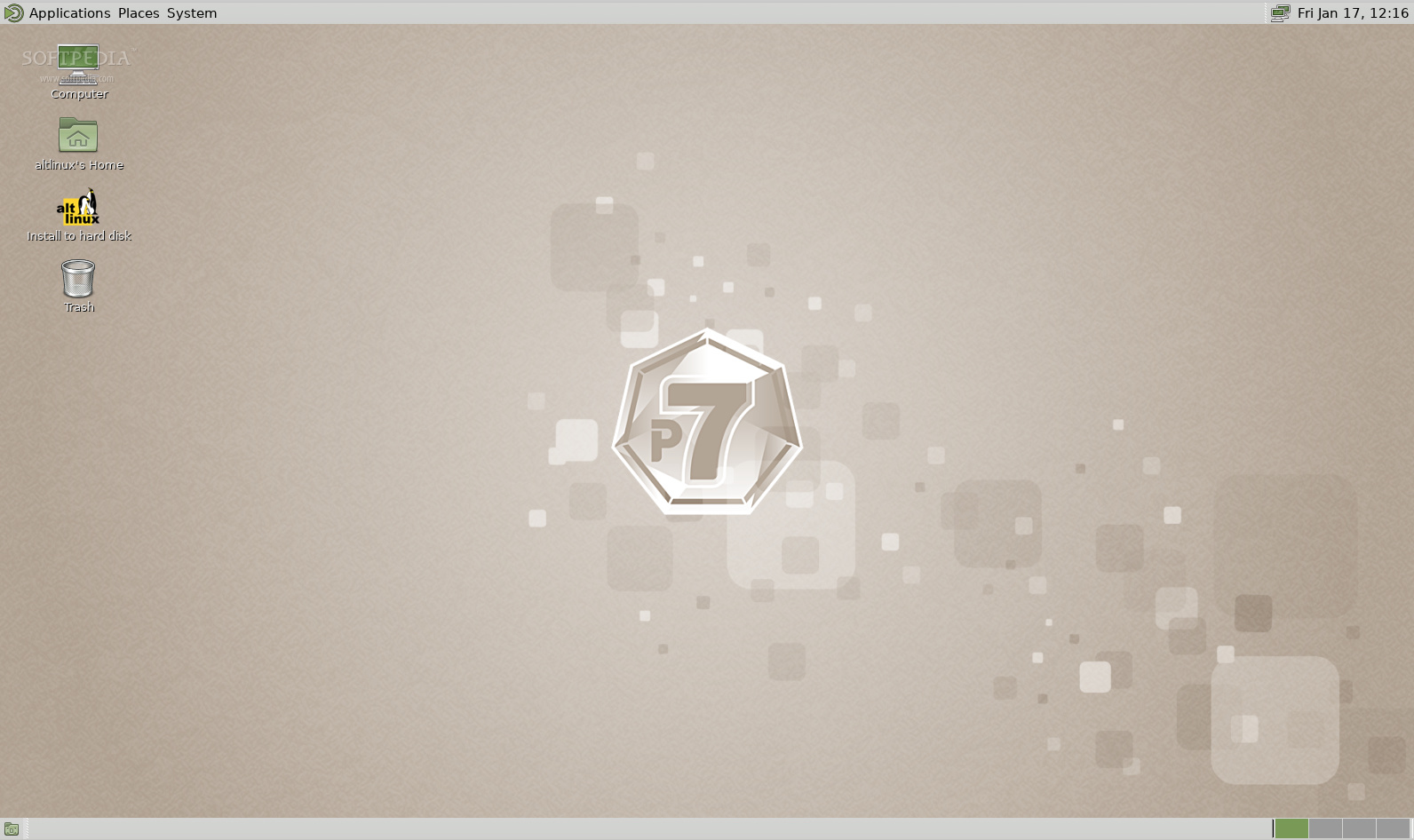
ALT Linux Cinnamon


http://linux.softpedia.com/get/Linux-Distributions/ALT-Linux-Cinnamon-103198.shtml#download
ALT Linux Cinnamon is an open source and full featured Linux operating system built around the beautiful Cinnamon desktop environment and based on the Mandrake (Mandriva) Linux distribution.

ALT Linux is known for being an independent operating system that comes with a wide range of editions, including LXDE, Xfce, MATE, GNOME, Razor-qt, IceWM, KDE, WindowMaker, as well as server and rescue flavors.

Distributed as Live CDs for 64-bit and 32-bit computers

It is distributed as Live CD ISO images that support both 64-bit and 32-bit hardware platforms, and can be used from either a USB flash drive or a blank CD disc. A persistent environment is provided for the USB version of the distro, allowing users to save their live sessions and reuse the boot medium whenever they want.

Boot options

Users can start an existing operating system or run a memory test from the boot menu of the Live CD. Installing the operating system directly, without testing it, is not possible (a dedicated installation script is provided on the desktop).

Powered by Cinnamon

As mentioned, the live session is powered by Cinnamon, a clone of the GNOME 3 desktop environment. It comes only with a taskbar, located on the bottom edge of the screen, from where users can manage running apps, interact with the system tray area, access the main menu and launch applications.

Default applications


Distribution Release: Pisi Linux 1.2
http://www.pisilinux.org/en


OS Type: Linux
Basado em: Independent
Origem: Turkey
Architecture: x86_64
Ambiente Gráfico: KDE, LXDE, Xfce
Categoria: Desktop
Pisi Linux is a GNU/Linux distribution based on the old Pardus Linux with its famous PiSi package management system. It's an operating system for desktop computer with software for listening to music, browsing the Internet and creating documents. Pisi Linux is built from scratch on a stable base, but many core user applications, such as the Firefox web browser or the VLC media player, are kept constantly up to date. To increase the distribution's user friendliness, Flash player and many multimedia codecs are installed and pre-configured for immediate use


NEW • Distribution Release: Neptune 4.4


http://neptuneos.com/en/
OS Type: Linux
Basado em: Debian (Stable)
Origem: Germany
Architecture: i386, x86_64
Ambiente Gráfico: Fluxbox, KDE
Categoria: Desktop, Live Medium
Neptune is a GNU/Linux distribution for desktops. It is based on Debian's stable branch, except for a newer kernel, some drivers and newer versions of popular applications, such as LibreOffice. It also ships with the latest version of the KDE desktop. The distribution's main goals are to provide a good-looking general-purpose desktop with pre-configured multimedia playback and to offer an easy-to-use USB installer with a persistence option.


quinta-feira, 23 de julho de 2015


Kodi 15 "Isengard" Has Been Released, Install In Ubuntu/Linux Mint Via PPA


Kodi media center, formerly known as XBMC Media Center, is an award-winning free and open source cross-platform media player feels very natural to use from the couch and is the ideal solution for your home theater. Currently Kodi can be used to play almost all popular audio and video formats around. It was designed for network playback, so you can stream your multimedia from anywhere in the house or directly from the internet using practically any protocol available. Use your media as-is: Kodi can play CDs and DVDs directly from the disk or image file, almost all popular archive formats from your hard drive, and even files inside ZIP and RAR archives. It will even scan all of your media and automatically create a personalized library complete with box covers, descriptions, and fanart. There are playlist and slideshow functions, a weather forecast feature and many audio visualizations.

Notable changes in Kodi 15.0:

A new chapter selector window - Allows you to visually browse and select chapters from mkvs and other containers that support chapters.
Adaptive seeking (aka Skip Steps) – The more times you press a button to seek in a period of time, the larger the jump forward or backward will be.
Audio and Subtitle Lists – For content that includes multiple audio and subtitle choices, you can select from a full list of choices, rather than manually searching through a spinner.
Language Add-ons and Expanded International Preferences – Now language translations aren’t dependent upon release, but get regularly updated to all users as the add-ons themselves update. Additionally, you now have total control over date, time, temperature and more displayed formats.
Improved Add-on Manager – The add-on manager has now been reworked to help make finding the add-ons you are looking for easier.
ffmpeg 2.6.3 update
Improved Closed Captioning support in Live TV
Fixed music video queuing
Allow scanning of new sources and marking as watched during other library operations such as “update library”
Ubuntu 12.04 support dropped in PPA
Removal of Tuxbox support. Users of Enigma2 boxes can use the VUPlus PVR add-on
Removal of AFP filesystem support
Remove legacy code pre-Frodo 11.0
Vast amount of possible memory leaks, segfaults, crashes and minor issues have been fixed
General improvements regarding code stability and performance in all areas
General code clean-up in all areas to simplify adding future features
And many more fixes & changes.
---------------------------------------------------------------------------------------------------
How to Install Kodi 15.0 Isengard:
---------------------------------------------------------------------------------------------------


Kodi 15.0 Available for Ubuntu 15.04 Vivid/14.10 Utopic/14.04 Trusty/Linux Mint 17.x/17/13/other related Ubuntu derivatives, Kodi 14.2 Helix is available for Ubuntu 12.04 Precise/Linux Mint 13
To install Kodi 15.0 in Ubuntu/Linux Mint open Terminal (Press Ctrl+Alt+T) and copy the following commands in the Terminal:
Terminal Commands:
sudo add-apt-repository ppa:team-xbmc/ppa
sudo apt-get update
sudo apt-get install kodi


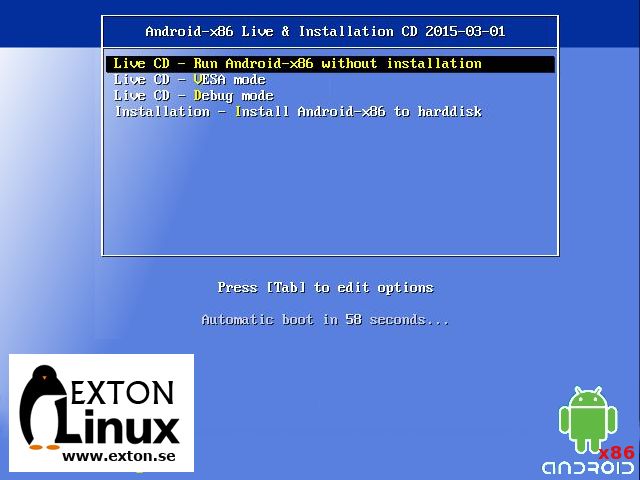
Android-x86 KitKat 4.4.4 Exton
http://linux.softpedia.com/get/Linux-Distributions/Android-x86-KitKat-4-4-4-Exton-Build-1-103736.shtml#download

Android-x86 KitKat 4.4.4 Exton is a commercial and custom version of the official Android-x86 operating system that brings several new features, such as the Google Play Store package manager that allows you to install Android apps on your computer, as well as a newer Linux kernel version, kernel 4.0.0-exton-android-x86.

Distributed as Live CDs that can be burned on CD/USB media


NEW • Distribution Release: Red Hat Enterprise Linux 6.7

http://www.redhat.com/en
OS Type: Linux
Basado em: Fedora
Origem: USA
Architecture: i386, ia64, powerpc, s390, s390x, x86_64
Ambiente Gráfico: GNOME, KDE
Categoria: Desktop, Server
Red Hat Enterprise Linux (RHEL) is a Linux distribution developed by Red Hat and targeted toward the commercial market. Red Hat Enterprise Linux is released in server editions for x86, x86_64, Itanium, PowerPC and IBM System z architectures, and desktop editions for x86 and x86_64 processors. All of Red Hat's official support and training and the Red Hat Certification Program centres around the Red Hat Enterprise Linux platform. Red Hat uses strict trademark rules to restrict free re-distribution of its officially supported versions of Red Hat Enterprise Linux, but still freely provides its source code. Third-party derivatives can be built and redistributed by stripping away non-free components.
             

quarta-feira, 22 de julho de 2015

Distribution Release: Calculate Linux 14.16.2 "MATE"
http://www.calculate-linux.org/
OS Type: Linux
Basado em: Gentoo
Origem: Russia
Architecture: i686, x86_64
Ambiente Gráfico: GNOME, KDE, Xfce
Categoria: Desktop, Live Medium, Server, Source-based
Calculate Linux is a Gentoo-based family of three distinguished distributions. Calculate Directory Server (CDS) is a solution that supports Windows and Linux clients via LDAP + SAMBA, providing proxy, mail and Jabbers servers with streamlined user management. Calculate Linux Desktop (CLD) is a workstation and client distribution with KDE, GNOME or Xfce
desktop that includes a wizard to
configure a connection to Calculate Directory Server. Calculate Linux Scratch (CLS) is live CD with a build framework for creating a custom distribution.
Distribution Release: BackBox Linux 4.3
http://www.backbox.org/

OS Type: Linux
Basado em: Debian, Ubuntu (LTS)
Origem: Italy
Architecture: i386, x86_64
Ambiente Gráfico: Xfce
Categoria: Data Rescue, Forensics, Security, Live Medium
BackBox Linux is an Ubuntu-based distribution developed to perform penetration tests and security assessments. It is designed to be fast and easy to use. It provides a minimal yet complete desktop environment, thanks to its own software repositories, which are always updated to the latest stable versions of the most often used and best-known ethical hacking tools.
NEW • Distribution Release: Robolinux 8.1
http://www.robolinux.org/

OS Type: Linux
Basado em: Debian (Stable)
Origem: USA
Architecture: i386, x86_64
Ambiente Gráfico: Cinnamon, GNOME, KDE, LXDE, Xfce
Categoria: Beginners, Desktop, Live Medium
Robolinux is a user-friendly and intuitive operating system based on the latest stable release of Debian GNU/Linux. One of the project's more interesting features is the availability of a pre-configured virtual machine support pack with Windows XP or Windows 7 - a VirtualBox setup which allows the user to install and run the Windows operating system seamlessly alongside Robolinux. This is an optional add-on that must be purchased from the project's online store. Robolinux offers free-to-try live desktop media, however the project charges a fee for downloading the distribution's system installer.

terça-feira, 21 de julho de 2015

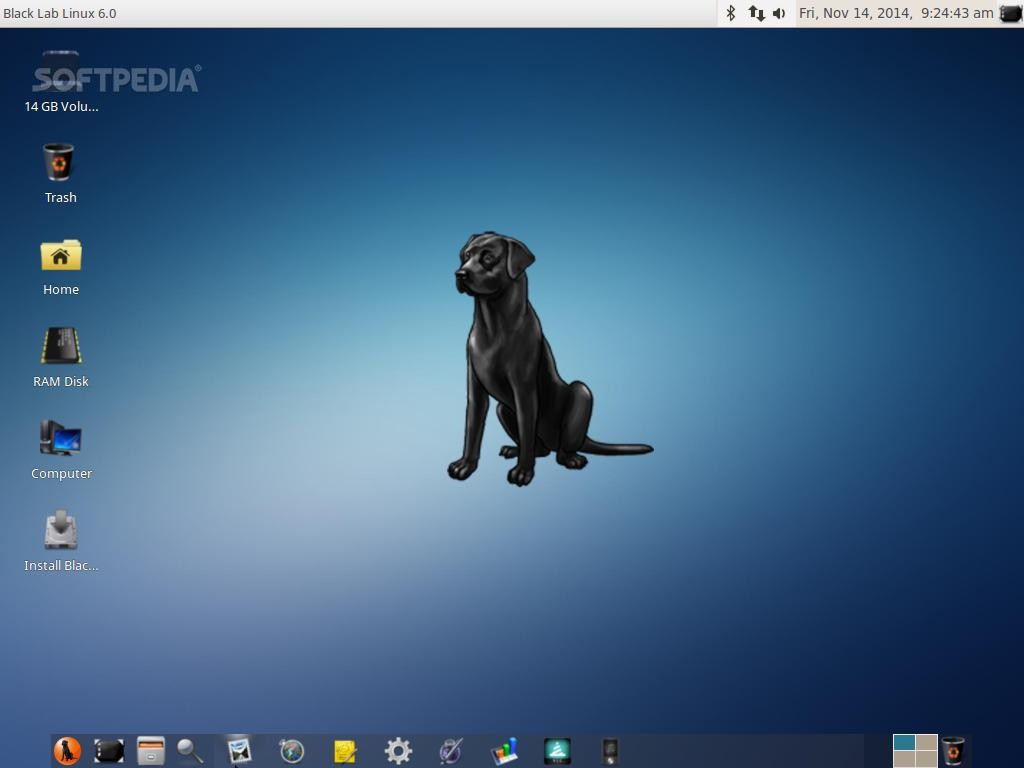
Black Lab Linux Xfce
http://linux.softpedia.com/get/Linux-Distributions/Black-Lab-Linux-Xfce-103671.shtml#download


Black Lab Linux Xfce is an official edition of the Black Lab Linux operating system, built around the lightweight and responsive Xfce graphical desktop environment. The system is a derivative of the world’s most popular free operating system, Ubuntu, and has been tailored specifically for low-end machines and computers with old or semi-old hardware components.

Distributed as a 64-bit Live DVD

Despite the fact that it uses a lightweight desktop environment, the Xfce edition of Black Lab Linux is distributed as a Live DVD ISO image that contains software packages optimized only for 64-bit (x86_64) computers.


ALT Linux KDE

http://linux.softpedia.com/get/Linux-Distributions/ALT-Linux-KDE-103202.shtml#download


ALT Linux KDE - The default desktop environment of the ALT Linux KDE operating systemALT Linux KDE is an open source and modern Linux distribution based on the Mandrake operating system and using the KDE Plasma and Applications project as its default desktop environment.

The ALT Linux operating system provides users with a very modern, RPM-based computing environment crafted to perfection and designed to please all types of users. It comes with Cinnamon, GNOME, MATE, Razor-qt, Xfce, Enlightenment, IceWM and WindowMaker editions.

Distributed as bootable, 32-bit and 64-bit Live CDs

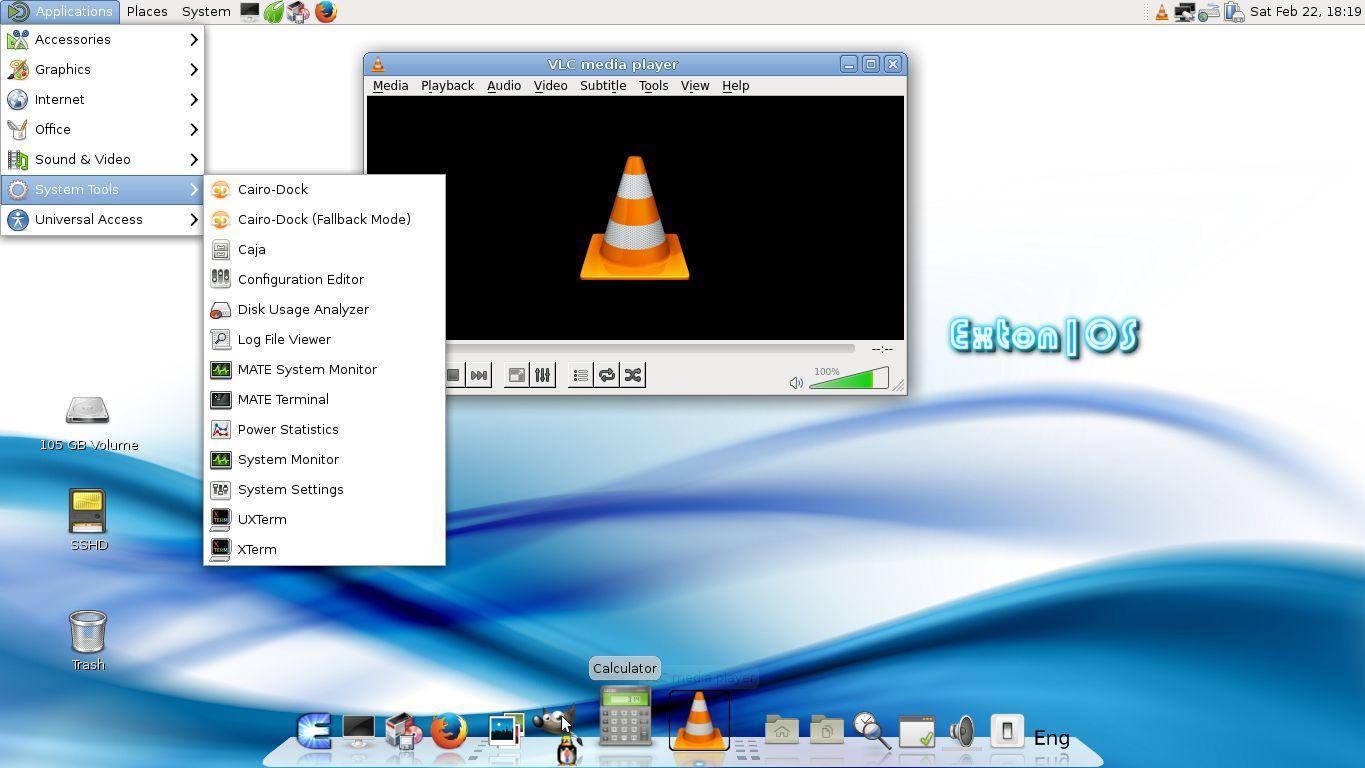
Exton|OS

http://linux.softpedia.com/get/Linux-Distributions/Exton-OS-103366.shtml#download

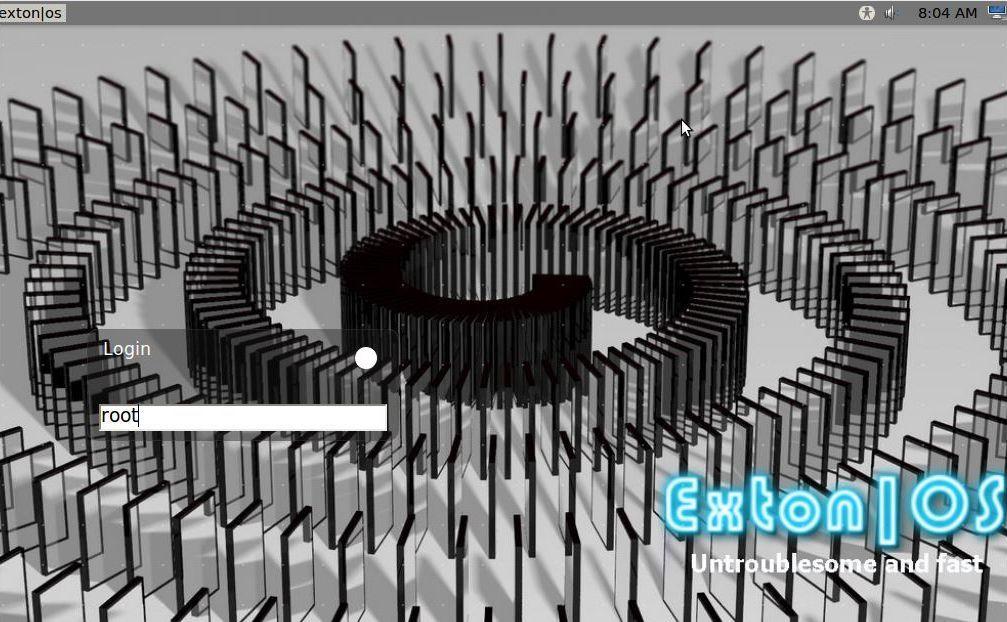
Exton|OS is an open source Linux distribution built around the lightweight MATE desktop environment and based on the world’s most popular free operating system, Ubuntu. It also provides users with a light version that features the very fast and lightweight Openbox window manager, as well as a Kiosk edition with Fluxbox.

Distributed as 64-bit Live CD/DVDs

The project is distributed as Live CD/DVD ISO-hybrid images with persistence mode, which means that it will allow users to save all the settings and files produced or downloaded during live sessions (only supported on USB flash drives). It comes with its own installer, replacing Ubuntu's one (please take a look at this slideshow for detailed information about the installation process). The Light edition of Exton|OS fits perfectly on a CD disc (detailed instructions on how to burn the image to a CD can be found on the project's homepage).

Three editions are offered, with MATE,  Openbox and Fluxbox graphical environments

As the developer describes on the product’s home page, the distro is untroublesome and fast. This is mainly because of the MATE desktop environment, a fork of the classic GNOME 2 window manager. On the other hand, the Light edition is suitable for low-end machines with no more than 256MB of RAM, thanks to the Openbox window manager. On the other hand, the Kiosk edition uses the ultra light and fast Fluxbox window manager.

Borrows features from Debian 8

Besides the Ubuntu base, Exton|OS also borrows some features from for forthcoming Debian 8 Jessie, as well as Ubuntu 15.04 (Vivid Vervet) and uses a custom kernel based on the upstream Linux 3.19 kernel (for the Openbox edition) and 4.0 kernel (for the MATE edition).


segunda-feira, 20 de julho de 2015

NEW • Distribution Release: Neptune 4.4
http://neptuneos.com/en/


OS Type: Linux
Basado em: Debian (Stable)
Origem: Germany
Architecture: i386, x86_64
Ambiente Gráfico: Fluxbox, KDE
Categoria: Desktop, Live Medium
Neptune is a GNU/Linux distribution for desktops. It is based on Debian's stable branch, except for a newer kernel, some drivers and newer versions of popular applications, such as LibreOffice. It also ships with the latest version of the KDE desktop. The distribution's main goals are to provide a good-looking general-purpose desktop with pre-configured multimedia playback and to offer an easy-to-use USB installer with a persistence option.

                       
ALT Linux MATE


http://linux.softpedia.com/get/Linux-Distributions/ALT-Linux-MATE-103197.shtml#downloa


ALT Linux MATE is a free, open source GNU/Linux distribution based on the Mandrake Linux operating system using MATE as its default desktop environment. It’s geared towards low-end computers.

ALT Linux is known for being an independent Russian operating system forked from Mandriva Linux and distributed into multiple editions and engineered to provide users with a solid computing environment.

Distributed as bootable Live CDs

It is distributed as Live CD ISO-hybrid images designed be deployed on USB thumb drives or blank/RW CD/DVD discs. The Live CDs allow users to start an existing operating system, run a memory test, or use the persistent mode to save their live session and reuse the boot medium whenever they want (only compatible with USB sticks).

MATE offers a classic desktop session

The MATE environment boots almost instantly and offers a traditional session, inspired by the one used on the GNOME Classic desktop, comprised of two panels. While the top panel is used for launching apps and access the system tray area, the bottom panel allows users to interact with running applications and quickly switch between virtual workstations.

Default applications

Among the default MATE applications, we can mention Caja file manager, Atril document viewer, Eye of MATE image viewer, MATE player, Engrampa archive manager, MATE calculator, pluma text editor, MATE Terminal, and MATE System Monitor.

Distribution Release: SUSE Linux Enterprise 11 SP4


OS Type: Linux
Basado em: openSUSE
Origem: USA
Architecture: i586, ia64, ppc, s390, s390x, x86_64
Ambiente Gráfico: GNOME, IceWM, KDE, WMaker
Categoria: Desktop, Server
SUSE Linux Enterprise is an interoperable platform for mission-critical computing.  SUSE Linux Enterprise Desktop is an enterprise-quality Linux desktop that's ready for routine business use.  It provides interoperability with existing systems and many office applications.  It also delivers flexibility for desktop and notebook clients, thin-client devices, and high-end technical workstations.  SUSE Linux Enterprise Server is designed to handle mission-critical workloads. It is an open, scalable, solution that comes with integrated Xen-based virtualization, application security, and systems management across a range of hardware architectures.  SUSE Linux Enterprise Server provides interoperability with Windows and other platforms, and it provides a secure foundation for a broad range of edge, departmental and data center needs.


NEW • Distribution Release: Pisi Linux 1.2


http://www.pisilinux.org/en

OS Type: Linux
Basado em: Independent
Origem: Turkey
Architecture: x86_64
Ambiente Gráfico: KDE, LXDE, Xfce
Categoria: Desktop
Pisi Linux is a GNU/Linux distribution based on the old Pardus Linux with its famous PiSi package management system. It's an operating system for desktop computer with software for listening to music, browsing the Internet and creating documents. Pisi Linux is built from scratch on a stable base, but many core user applications, such as the Firefox web browser or the VLC media player, are kept constantly up to date. To increase the distribution's user friendliness, Flash player and many multimedia codecs are installed and pre-configured for immediate use.

Translate

Arquivo do blogue